Put any web page on your dashboard
Golden dashboards can now show any web page next to your charts, and the page follows your clicks: select a bar and it loads the page for what you clicked.
Some of the context behind a number isn't in your data. It's in a product page, a map, a video, a status page or a wiki article.
Dashboards in Golden can now show that page right next to the charts. And the page follows along: click a bar, and it loads the page for what you clicked.
Add a Web page card
Pick Insert → Components → Embeds → Web page, paste an address, and the page shows up on the dashboard as a card. YouTube videos play, Google Maps embeds move, and Wikipedia renders the way it does in a browser tab.
The card's header always shows which site it's showing, with a button to open the page in a new tab.
Make the page follow your clicks
This is the fun part. Put a field name in curly braces anywhere in the address:
https://en.wikipedia.org/wiki/{Genre}_music
Now when someone clicks Jazz on the Sales by Genre chart, the card loads the Jazz page. Pick a filter value and it does the same thing. You don't need to configure parameters or write a mapping table. The URL is the setting.
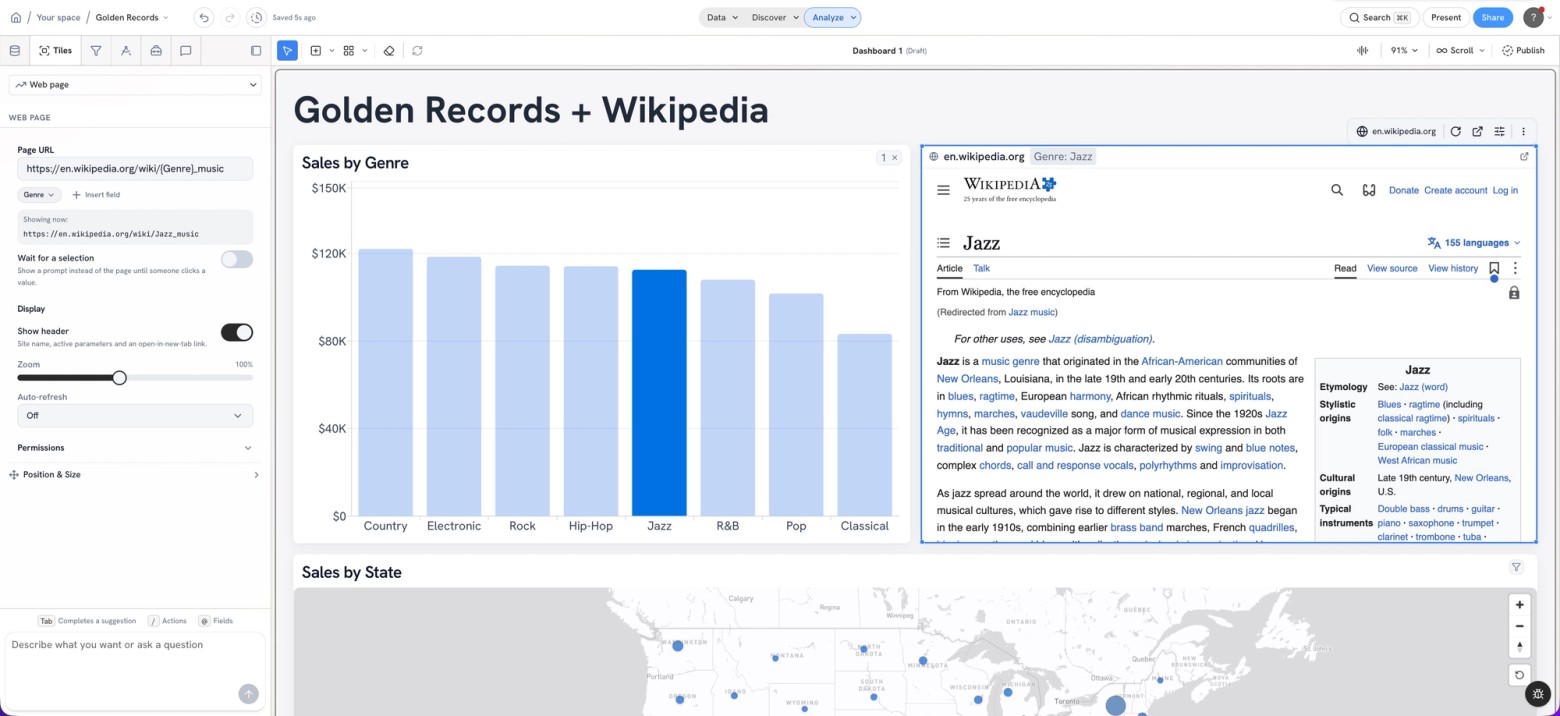
Click Insert field to drop a field in at the cursor, or just type it. Golden shows the address it's loading right now, so you can see what a click will do before you click.
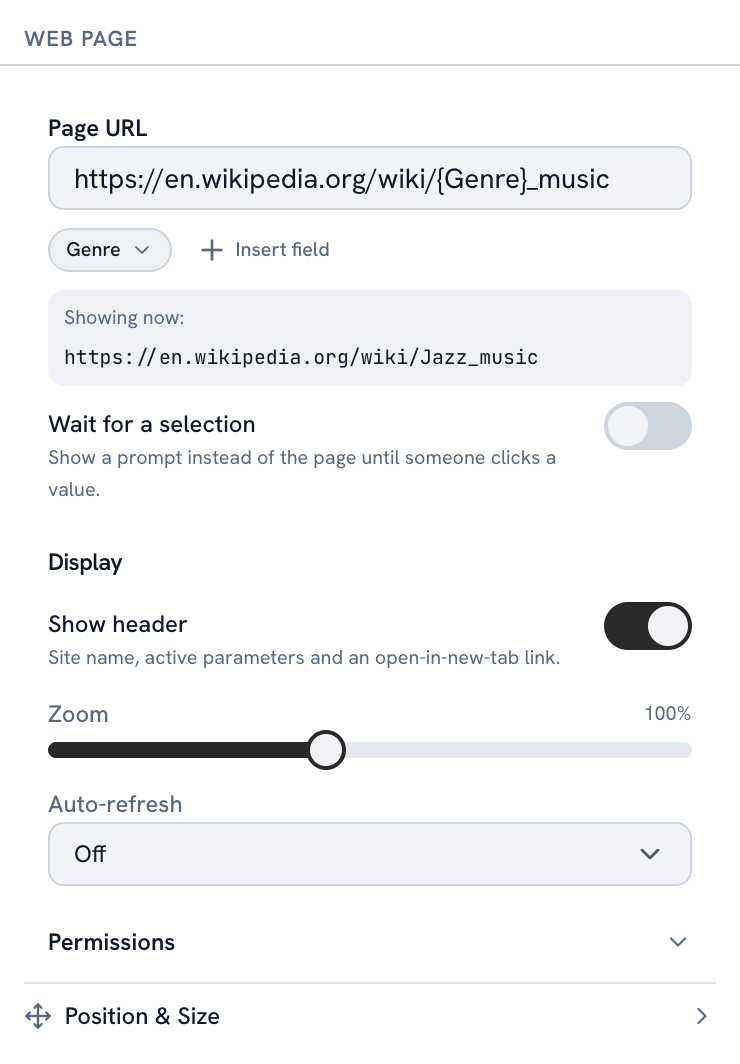
A few options for the details:
- Default value, for when nothing is selected yet.
- Several values, for when someone selects more than one: join them, repeat the parameter, or use the first.
- Wait for a selection, which shows a prompt instead of a page until someone clicks something.
- Zoom and Auto-refresh, for a status page that should stay current on a wall screen.
Fields work in the query string too (?q={Region}), so a search page or an internal tool that takes a URL parameter works the same way.
Or just ask
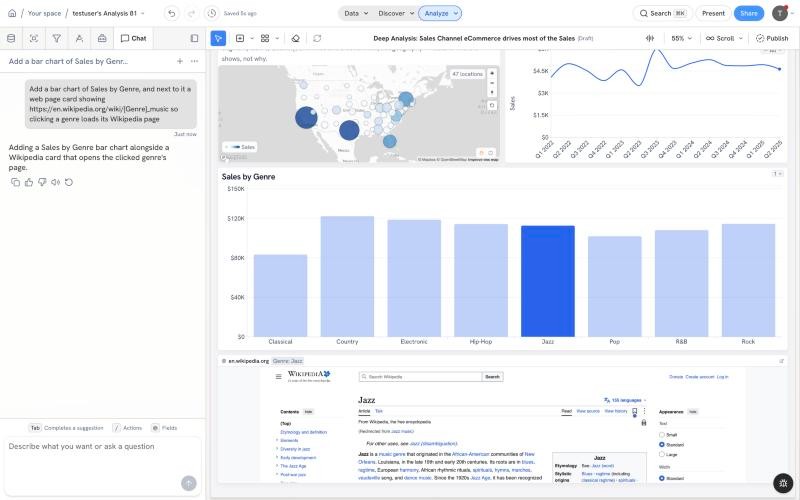
The dashboard chat knows about Web page cards. The screenshot above came from one message:
Add a bar chart of Sales by Genre, and next to it a web page card showing https://en.wikipedia.org/wiki/{Genre}_music so clicking a genre loads its Wikipedia page
The chat only uses a site you name yourself. It won't pick up an address it found in your data or on another page.
Built to be safe
A dashboard that frames other people's pages has to be careful, so the card is careful:
- Only
httpsaddresses, and no usernames or passwords in the URL. - The page runs in a sandbox. It can't take over the dashboard or navigate the tab.
- A value someone clicks can only change the path or the query. It can never point the card at a different site.
- Excluded filter values are never sent to the page.
Some sites refuse to be shown inside another page. Golden checks first, and instead of a blank box you get a short message and a link that opens the page in a new tab.
Try it
Open a dashboard, pick Insert → Components → Embeds → Web page, and paste the address of a page your team already keeps open in another tab.